Mobile casino access at Duel
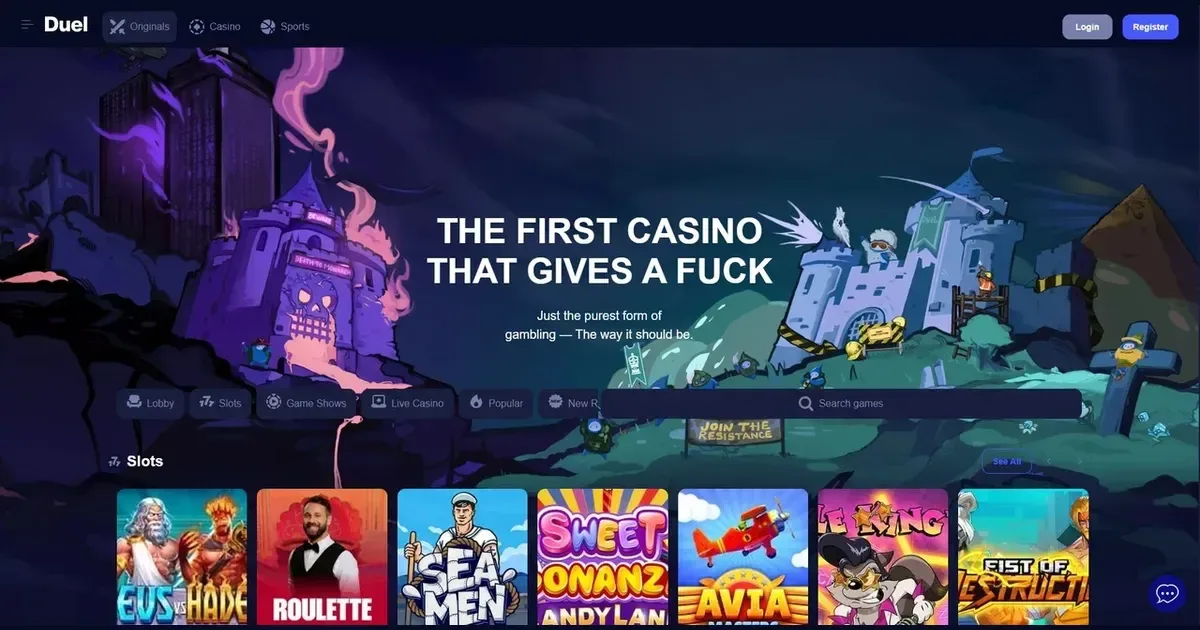
















Duel runs entirely through a browser on your phone or tablet. There is no native app to download from the App Store or Google Play – you reach the site the same way you would on a desktop, by typing the address into Safari, Chrome or whichever browser you use.
That means no install permissions, no storage taken up on your device, and no version updates to manage. You log in, the lobby loads, and you play. It also means you are always looking at the current version of the site, because it is served fresh each time rather than cached locally.
What mobile browser play looks like here
When you open the site on a phone, the layout adjusts to fit the screen. The main navigation moves into a collapsible menu, usually triggered by three horizontal lines at the top corner. Game tiles stack vertically instead of spreading across multiple columns, and you scroll rather than paginate through the lobby.
The search and filter tools work the same way they do on desktop – tap the magnifying glass to look for a specific title, or open the filter panel to narrow by provider, category or feature. Touch targets are sized for fingers rather than mouse pointers, so buttons and links have more padding around them to reduce mis-taps.
Our proprietary suite of 11 Duel Originals games – Dice, Blackjack, Plinko, Crash, Mines, Beef, Keno, Castle Roulette, Video Poker, Rock Paper Scissors and Limbo – all state they carry 100% RTP and were built to work in a browser, which includes mobile browsers. They load quickly and respond to touch without needing a download.
Day-to-day use from a phone
You can deposit and withdraw from the cashier screen on mobile. The payment form is the same one you would see on a desktop, condensed to single-column layout. Card fields, wallet logins and crypto address inputs all function as expected, with your phone's keyboard appearing when you tap into a field.
Support is reachable at [email protected] whether you are on a phone or a computer – the contact address does not change. If the site offers live chat or a help centre, those are accessed the same way, though a chat window on a small screen will cover most of the page while it is open.
The sportsbook sits alongside the casino in the same browser session. Cash Out, Bet Builder and the other betting features listed in our terms – Early Payout for pre-settled wins and Bore Draw refunds for 0-0 soccer matches – are all available on mobile, though the betslip interface is taller and narrower than its desktop counterpart.
| Feature | Mobile availability |
|---|---|
| Registration | Full account creation in-browser |
| Deposits & withdrawals | Complete cashier access |
| Game library | All browser-compatible titles |
| Live dealer tables | Streamed in-browser |
| Sports betting | Pre-match, live, Bet Builder, Cash Out |
| Account settings | Full profile and limits controls |
Known limits on a small screen
Multi-table play on live dealer games becomes impractical when you are working with a five- or six-inch display. Desktop players often tile two or three tables at once; on a phone you are realistically looking at one table at a time, switching between them if you want to play multiple hands.
The site's live chat feed – visible on the homepage and carrying unmoderated user messages – takes up proportionally more screen space on mobile. If that feed is active while you are browsing games or placing bets, you may need to scroll past it to reach other controls, or collapse it if the interface allows.
Complex betslips with many selections are harder to review on a narrow screen. You can still build a 20-leg combo to chase the Comboboost multipliers (which start at 1.01× for two selections and reach 2× at twenty), but checking each pick and its odds before confirming the bet requires more scrolling than it would on a desktop.
What to check before you play on mobile
- Your connection matters more than it does on a wired desktop – a dropped 4G signal mid-spin or mid-bet is treated the same way a closed browser tab would be, and how the operator handles incomplete sessions is worth reading in the terms before it happens.
- Screen brightness and phone positioning can make outdoor play difficult, particularly for live dealer streams where you need to see cards or a roulette wheel clearly.
- Battery drain is higher during video streaming (live tables) and graphically intensive slots – a session that runs two hours on mains power may only last 45 minutes on battery, depending on your device.
- Responsible gambling tools – the 6-month minimum self-exclusion and the 7-day cooling-off period we list on the responsible gaming page – are set through your account settings, and those settings are accessible from mobile the same way they are from a computer.
Staying in control on a device you carry everywhere
A phone is always within reach, which makes setting deposit and session limits more important than it is on a desktop you only use at home. Check the account controls section of the site to see what time and spending limits are available, and set them before your first mobile session rather than after you notice you have been playing longer than you meant to.
If you share a device with others, consider that browser history and saved logins can give someone else access to your account. Use a private or incognito window for each session, or log out completely when you finish, rather than leaving the tab open in the background.
For free, confidential support with gambling, contact GamCare at www.gamcare.org.uk or ring the National Gambling Helpline on 0808 8020 133, available 24 hours a day. BeGambleAware also provides help at www.begambleaware.org. Blocking software such as Gamban (gamban.com) and BetBlocker (betblocker.org) works across all your devices, including phones, and both are free to use.
This site is for players aged 18 and over (18+). If gambling stops feeling like entertainment, free and confidential help is available at BeGambleAware.org.
Last updated:
Game Providers